Manual validation for Elasticsearch, Modernization API, and NiFi
Use these steps to validate end-to-end behavior in the NBS UI after deploying , Modernization API, and .
- Log in to NBS using your configured URL, for example:
https://app.<your-site>.<your-domain>.com/nbs/login. -
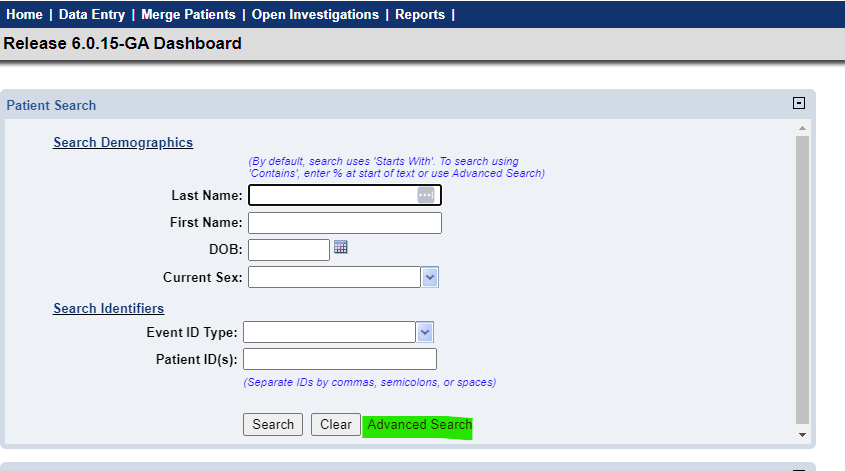
Select Advanced Search:
-
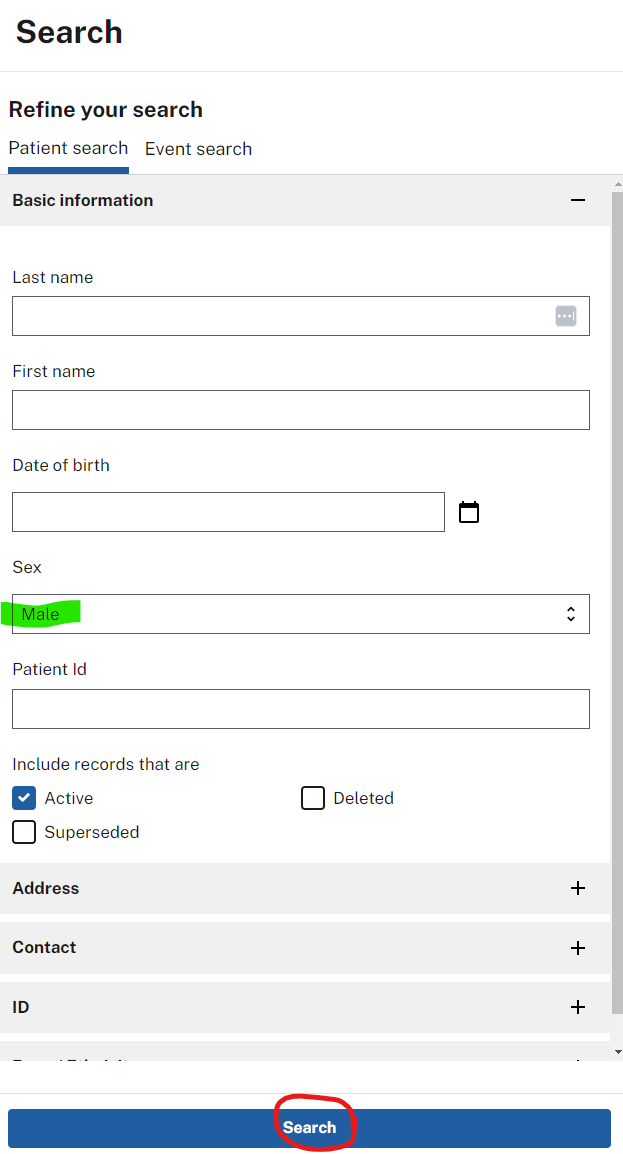
Run a search. For example, select Male from the Sex drop-down and select Search:
-
Confirm that results appear in the results pane:

Next steps
Continue to API smoke test for Modernization API.